Authentication PopUp after KB5082063
In April 2026 Microsoft published the security update for Windows Server KB5082063. This update introduces changes in Kerberos Key Distribution Center (KDC) operations, which switched default DefaultDomainSupportedEncTypes to AES-SHA1 for all accounts in the Active Directory which did not have this attribute set.
Errors and Symptoms
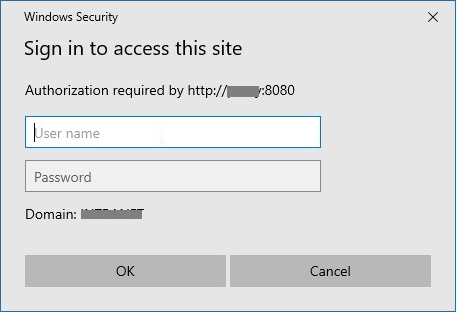
Users browsing the Internet via older versions of Web Safety (less than 8.2), or newer versions of Web Safety which were upgraded from old versions will see the proxy authentication popup which never disappears blocking the browsing altogether.
Reasons for Error
Older Kerberos keytab uploaded into Web Safety was generated with support for RC4-HMAC only, which can be visible in Squid / Auth / Active Directory Authentication / Kerberos page in Admin UI as shown below.
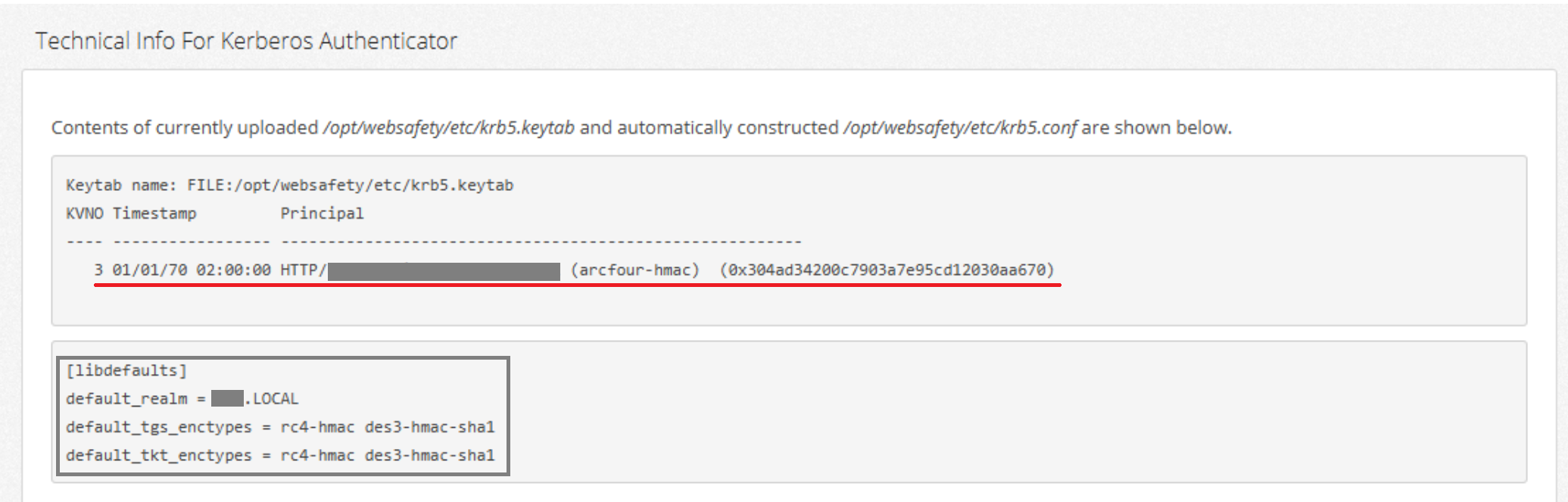
After applying Microsoft Update on the Active Directory servers and on Windows 10/11 clients the tickets which clients automatically present to the proxy server will be encrypted using AES-SHA1, which can be proved by running klist command on the clients which experience the authentication popup error.
C:\Users\rafael.akchurin>klist

Current LogonId is 0:0x4bd2d45f

Cached Tickets: (7)

#3>     Client: rafael.akchurin @ DILADELE.LAN
        Server: HTTP/proxy.diladele.lan @ DILADELE.LAN
HERE >> KerbTicket Encryption Type: AES-256-CTS-HMAC-SHA1-96
        Ticket Flags 0x40a10000 -> forwardable renewable pre_authent \
            name_canonicalize
        Start Time: 4/23/2026 6:56:11 (local)
        End Time:   4/23/2026 16:56:07 (local)
        Renew Time: 4/30/2026 6:56:07 (local)
HERE >> Session Key Type: AES-256-CTS-HMAC-SHA1-96
        Cache Flags: 0
        Kdc Called: dc2.diladele.lan
The proxy will then fail to validate these tickets and insist on providing valid credentials, which client cannot satisfy because from his point of view the presented credentials are correct; thus the browser, not knowing what to do, will show the authentication popup to the user.
Temporary Workaround
It is recommended to initially disable authentication on the Web Safety server to let the users browse normally while this issue is resolved. This can be done in Squid / Auth / Active Directory Authentication, tabs Kerberos, NTLM and Basic LDAP as shown below.
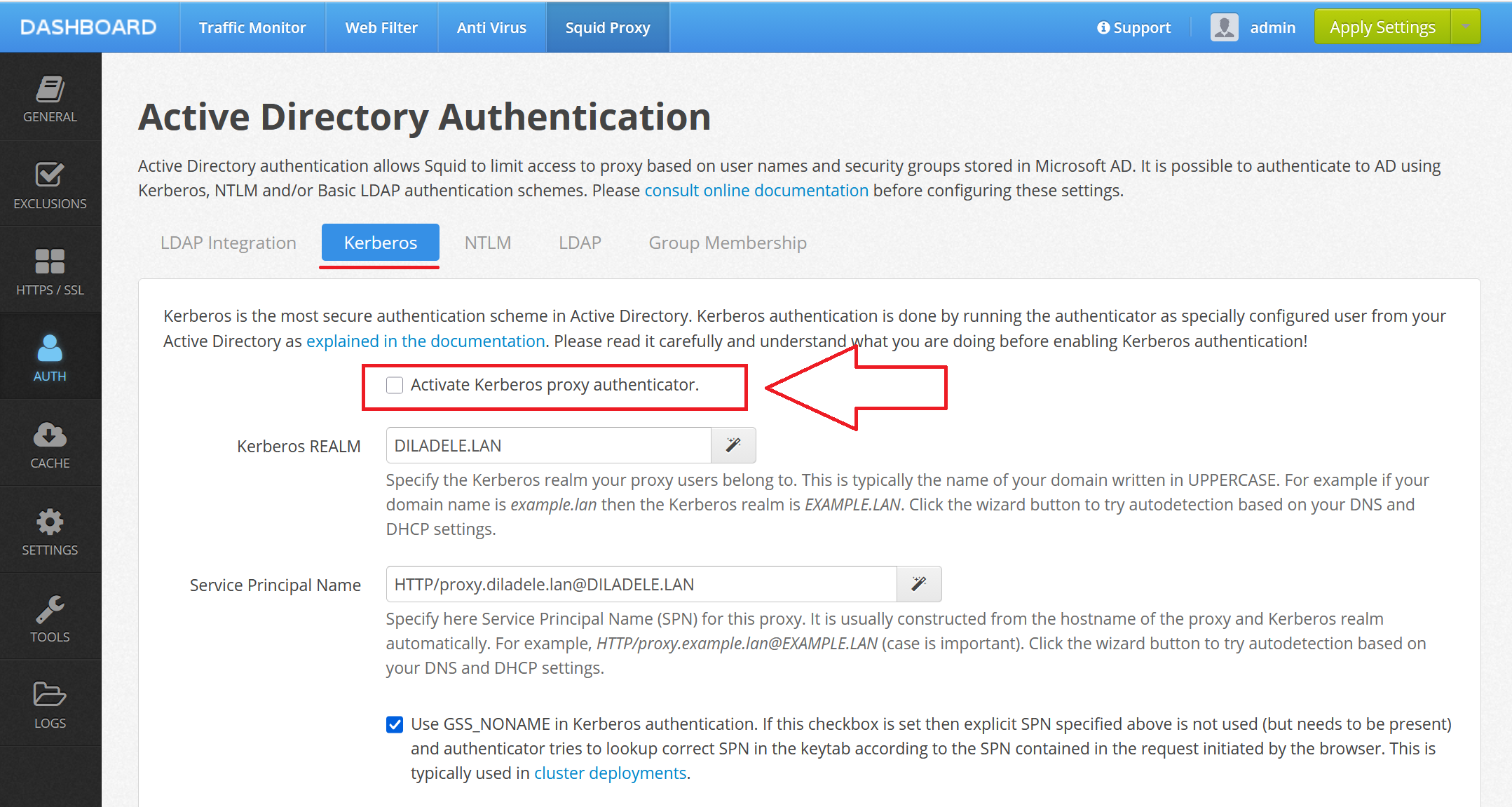
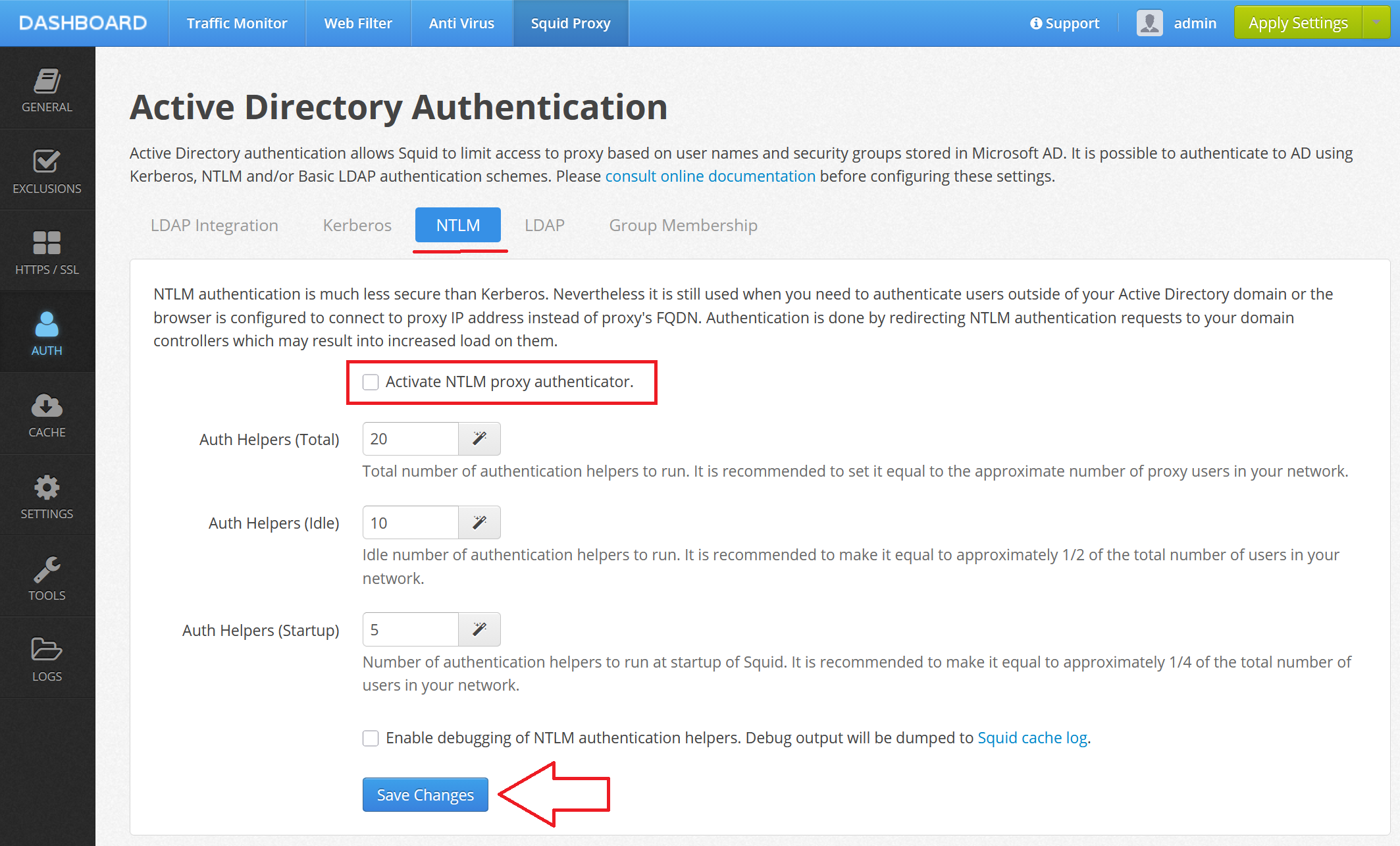
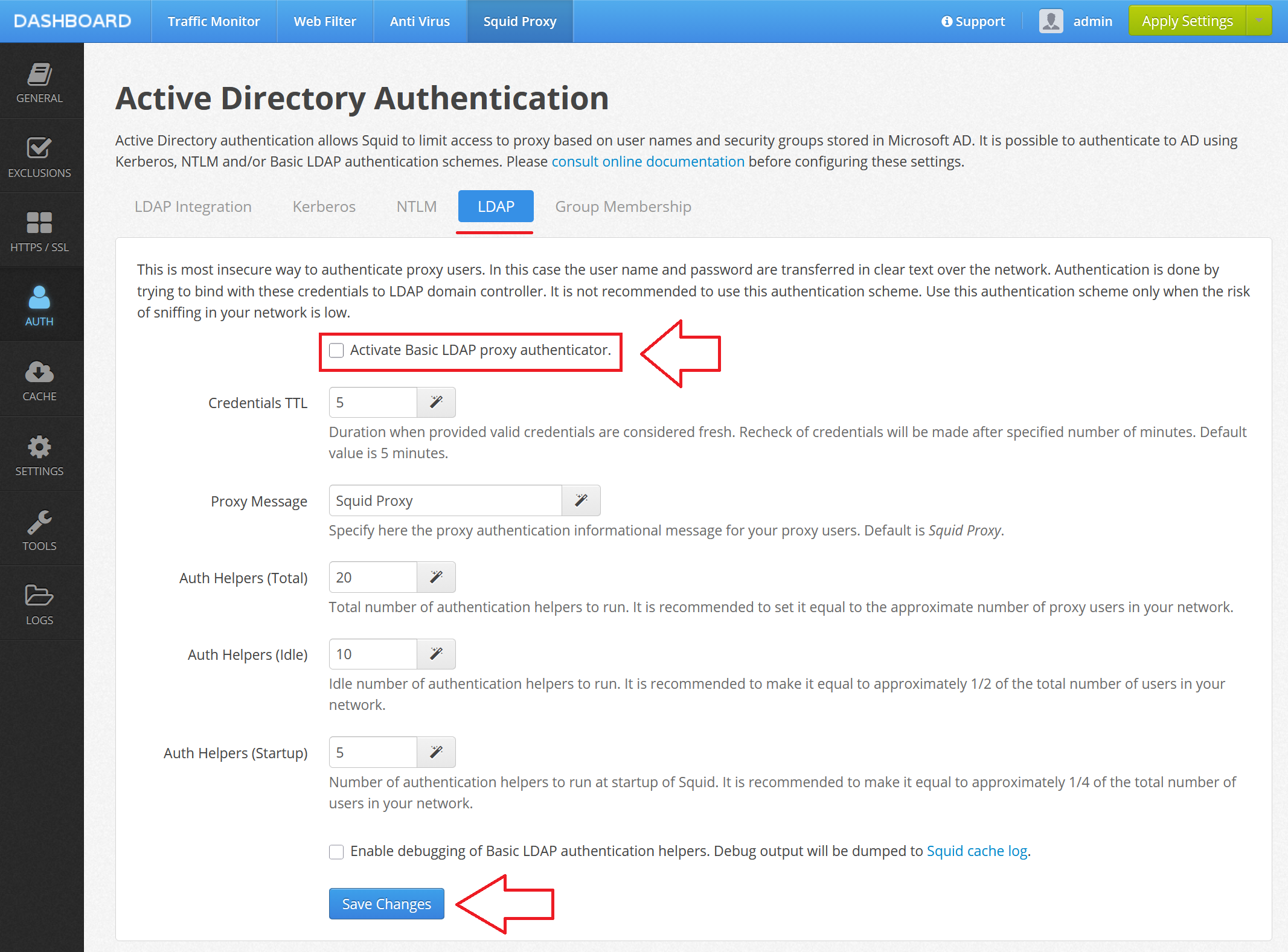
Please do not forget to click Save and Restart after disabling all types of authentication.
Recommended Fix for Web Safety 8.2 and below
If you are using versions of Web Safety older that 8.2 the only possible fix is to use the latest version of Web Safety (currently 9.7) which supports AES-SHA1 by default since September 2022.
Important
If you ever imported the configuration from your old Web Safety into your new Web Safety (even the latest version 9.7) - the old imported keytab will still be using RC4-HMAC encryption. So you will also need to perform the following step.
Recommended Fix for Web Safety 8.2 and above
If you have migrated your Web Safety during the years to newer version you still might have older RC4-HMAC ecnryption in keytab file. You would need to follow these steps to re-generate the keytab with AES-SHA1 encryption again.
Sample command from the Kerberos authentication topic is shown below. Be sure to adjust the parameters according to your domain realm, user name and password. The most important part of this command line is encryption type now AES256-SHA1.
Note, it is wise to slowly re-read and re-verify your environment based on that documentation before performing these quick fix steps.
ktpass
    -princ HTTP/proxy.example.lan@EXAMPLE.LAN
    -mapuser squid@EXAMPLE.LAN
    -crypto AES256-SHA1
    -pass Passw0rd
    -ptype KRB5_NT_PRINCIPAL
    -out krb5.keytab
After that re-upload the keytab into the proxy, make sure the technical info shown in the Squid / Auth / Active Directory Authentication / Kerberos page in Admin UI is correct and reboot the proxy box.
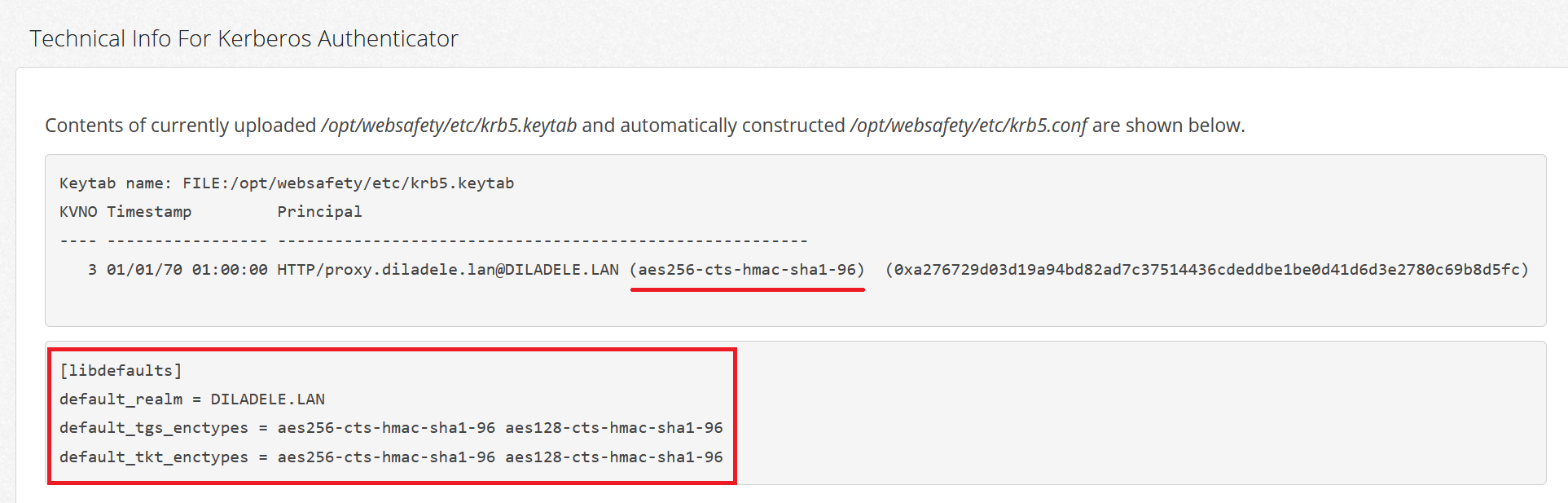
After that, your Microsoft Windows 10/11 with applied Microsoft update should work normally. Note, if you have older Microsoft client which are/were not updated (like obsolete Windows versions) will be unable to use the proxy and start showing popups !!!
References
For more information try reading the following articles: